To provide frontend developers with an online evaluation service for frontend programs, this article proposes an online evaluation system for frontend developers that can automatically render, execute, schedule, and evaluate whether the execution results of frontend programs are correct or incorrect in a server environment.
An online evaluation system is a practice platform that automatically evaluates whether a program’s execution result is correct or incorrect by running test data, providing users with a way to improve their programming skills.
Most online evaluation systems target backend developers and can only evaluate backend programming languages running in server environments, lacking the functionality to evaluate frontend programming languages. The correctness of frontend programs still requires manual evaluation in a browser environment, and the evaluation results are somewhat subjective.
Live Demo (Demo server stability not guaranteed)
https://oj.project256.com/login
Account: test
Password: 123456
Code Repositories
This system is mainly divided into three sub-projects:
Frontend Pages Based on Vue NPM WebSocket
Backend API Based on Golang MySQL WebSocket
Evaluation Core Based on Golang ChromeDP WebSocket
How to Run
Installation and Deployment
Please refer to DockerFile
1 | ENV PATH="/root/anaconda3/bin:${PATH}" |
MySQL Schema
Import caroline.sql
Backend API Configuration
conf/app.ini
Evaluation Core Configuration
conf/judger.ini
Default Password
Username
Administrator
Password
654321
Feature Preview
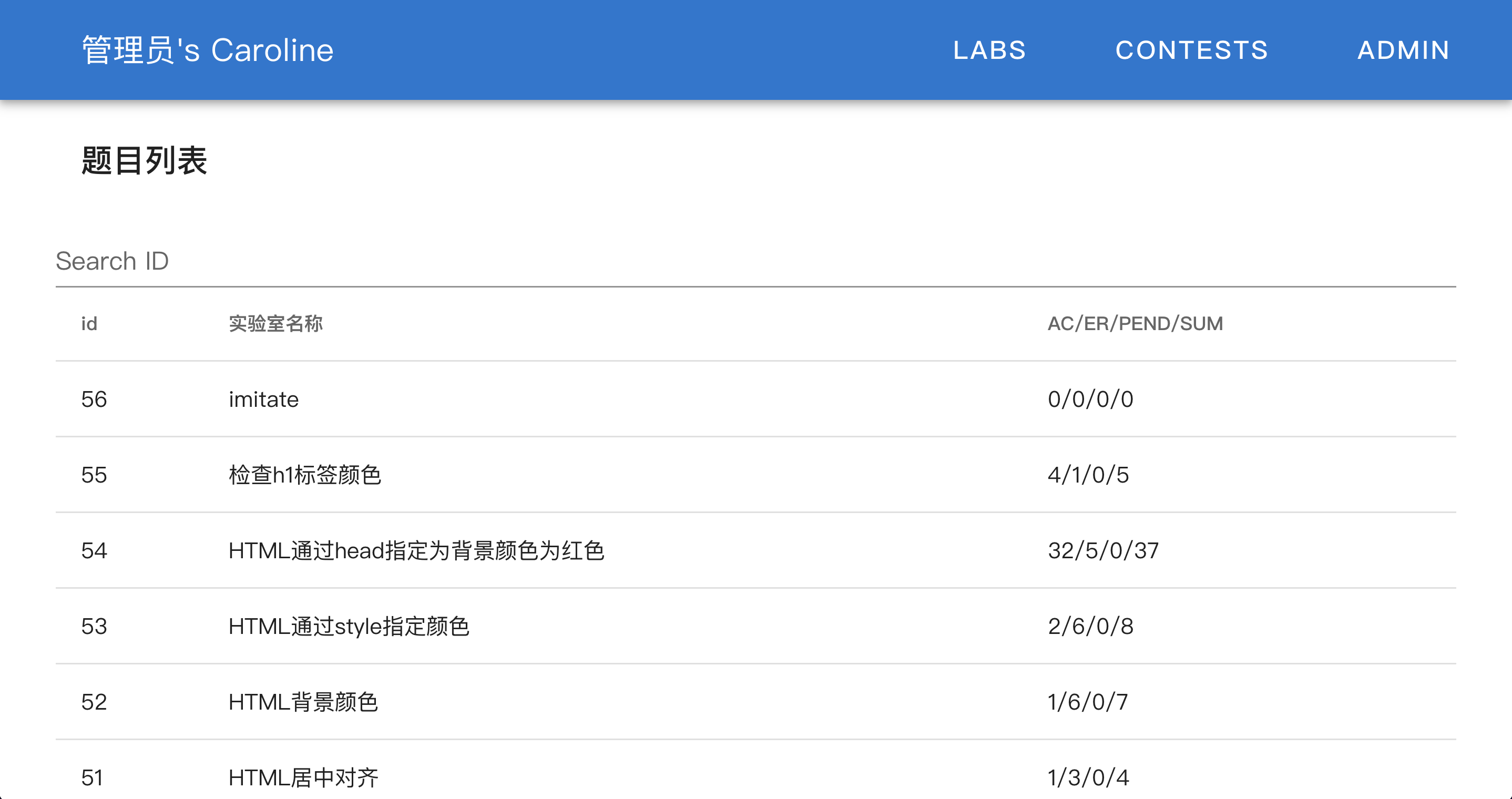
Problem List
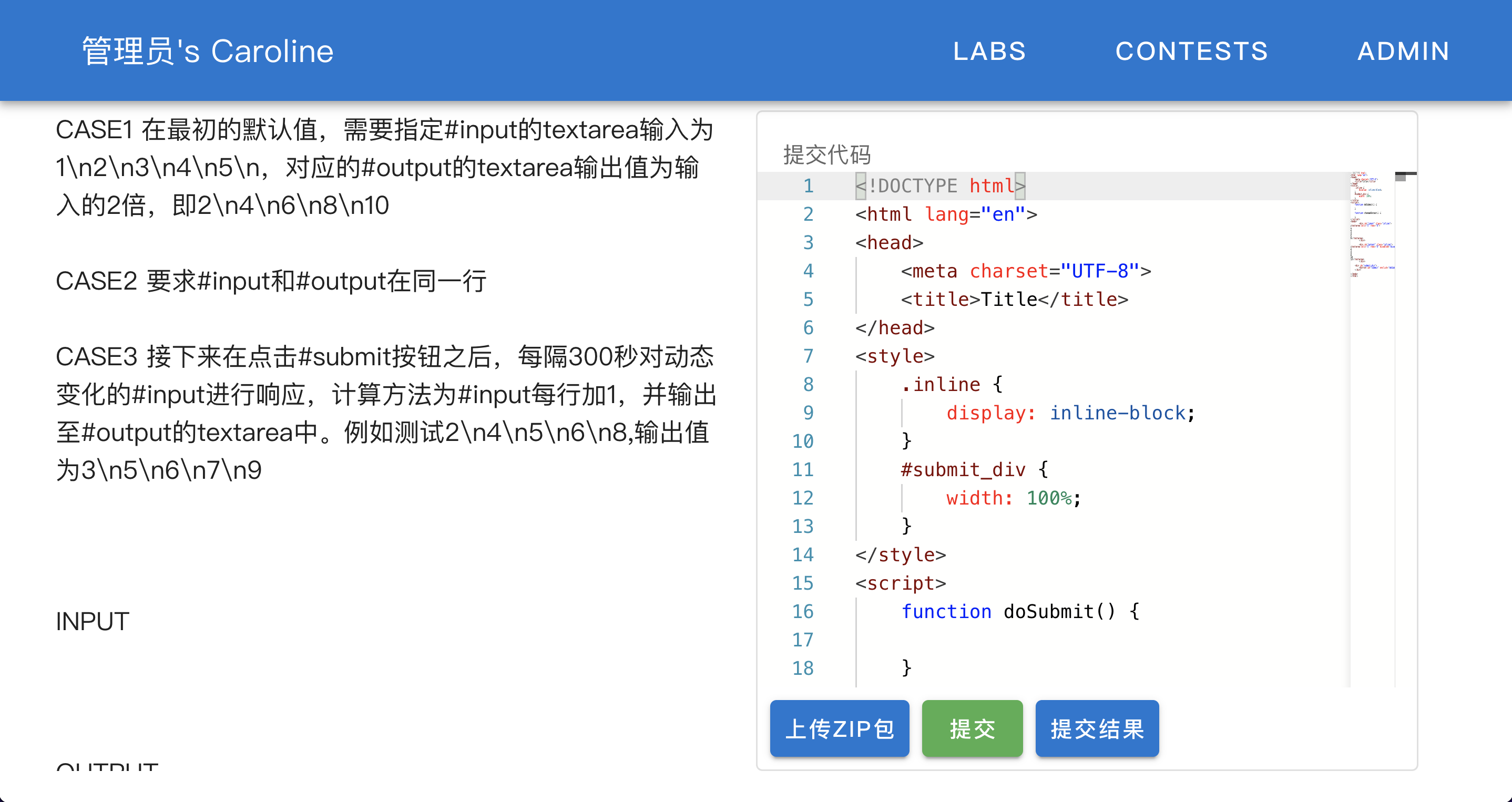
Problem Viewing and Submission
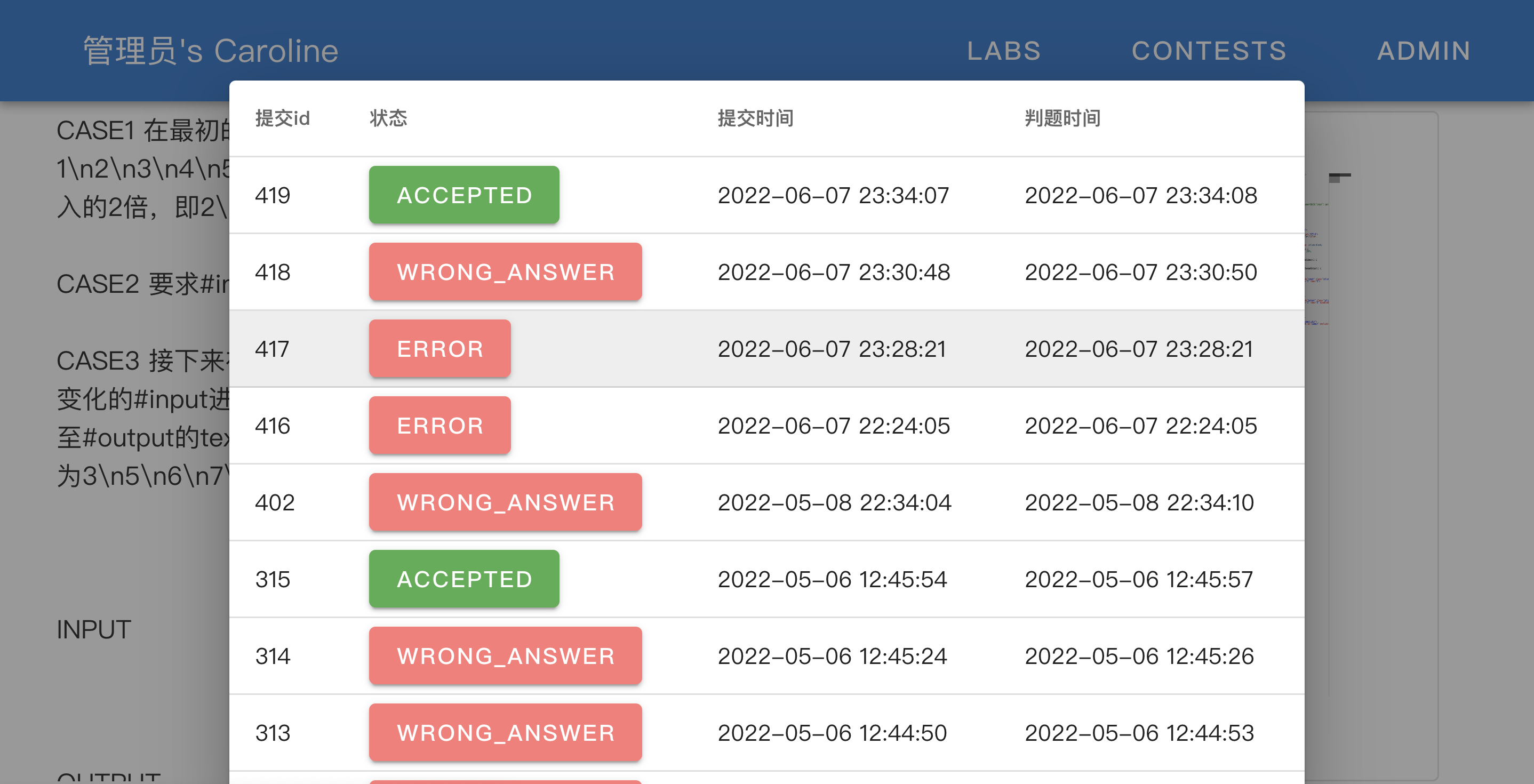
Submission Results
Real-time communication implemented using WebSocket
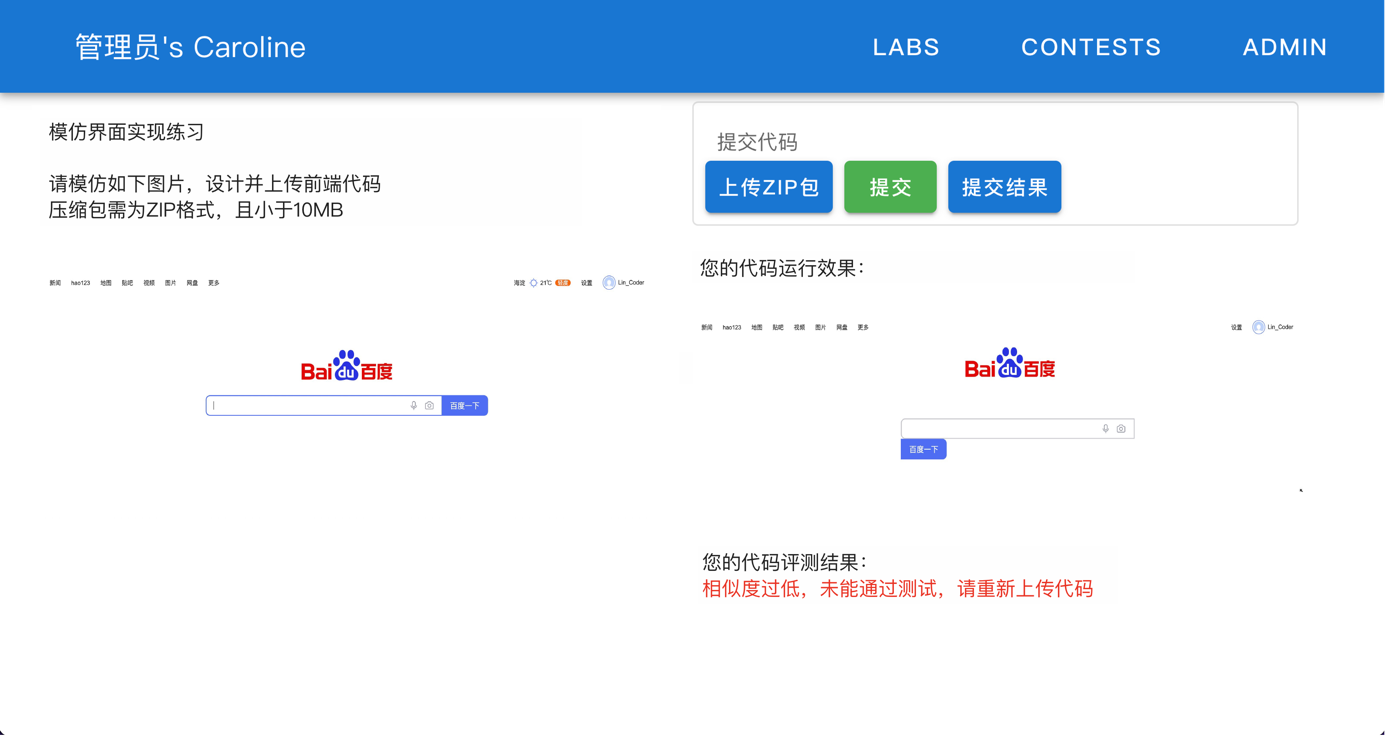
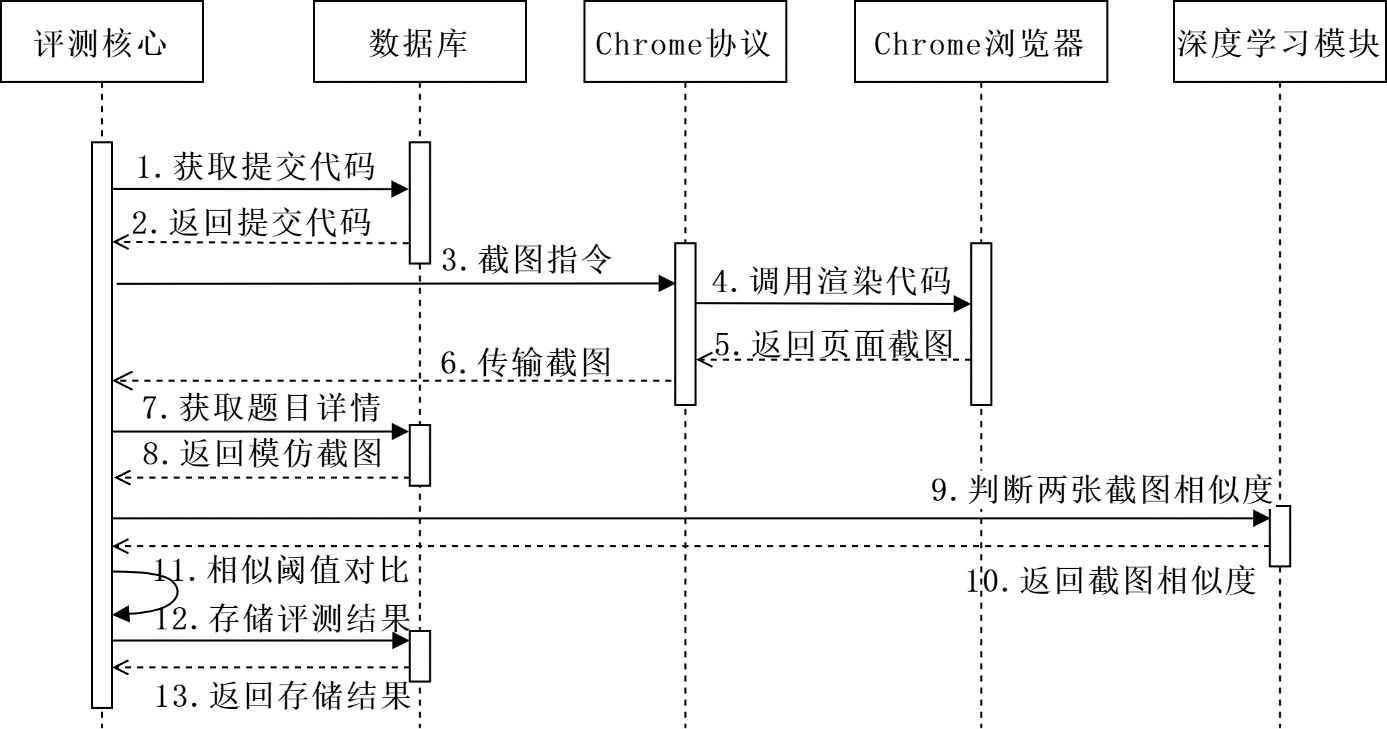
UI Similarity Comparison
UI similarity comparison based on ResNet
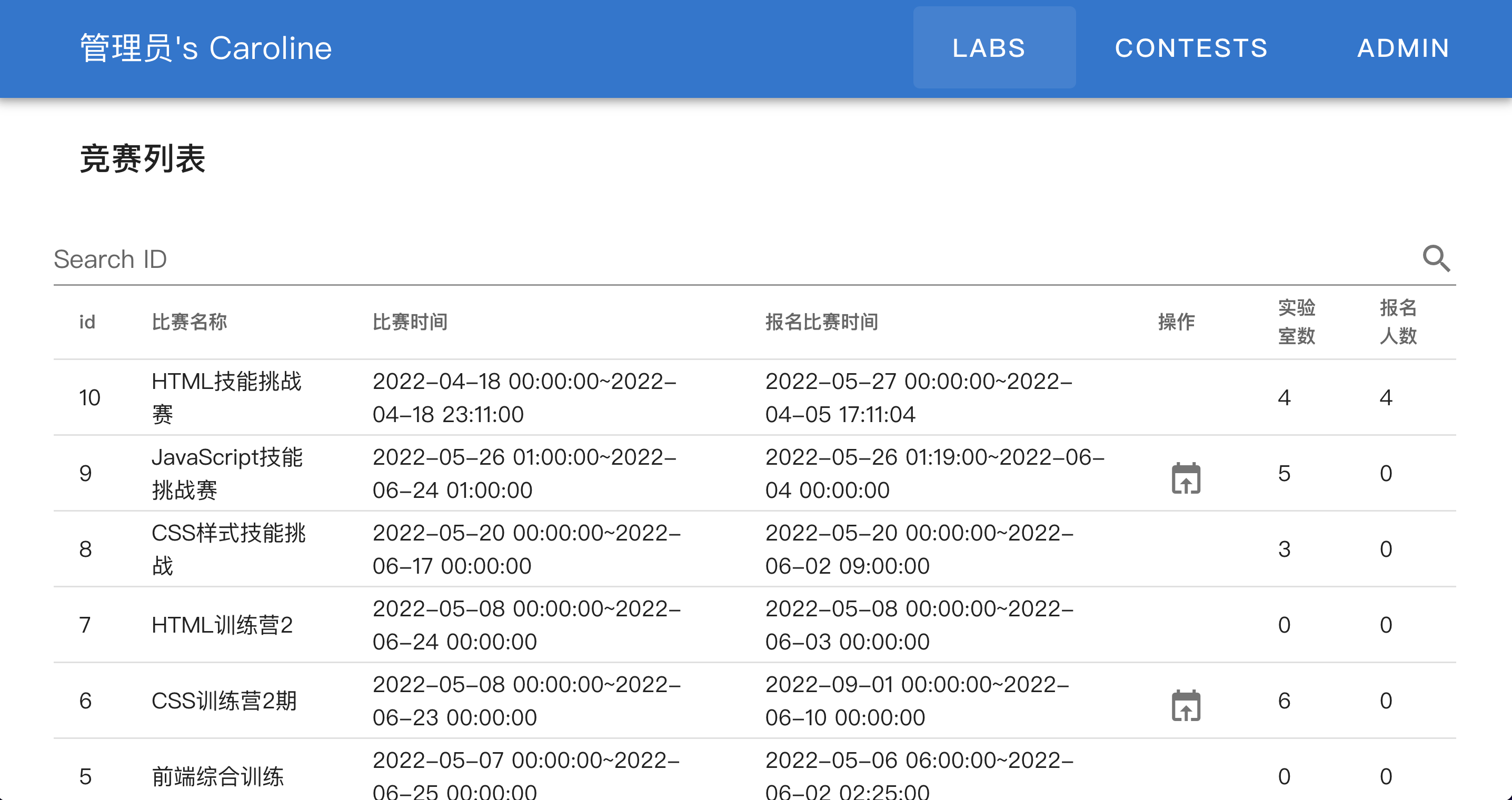
Contest List
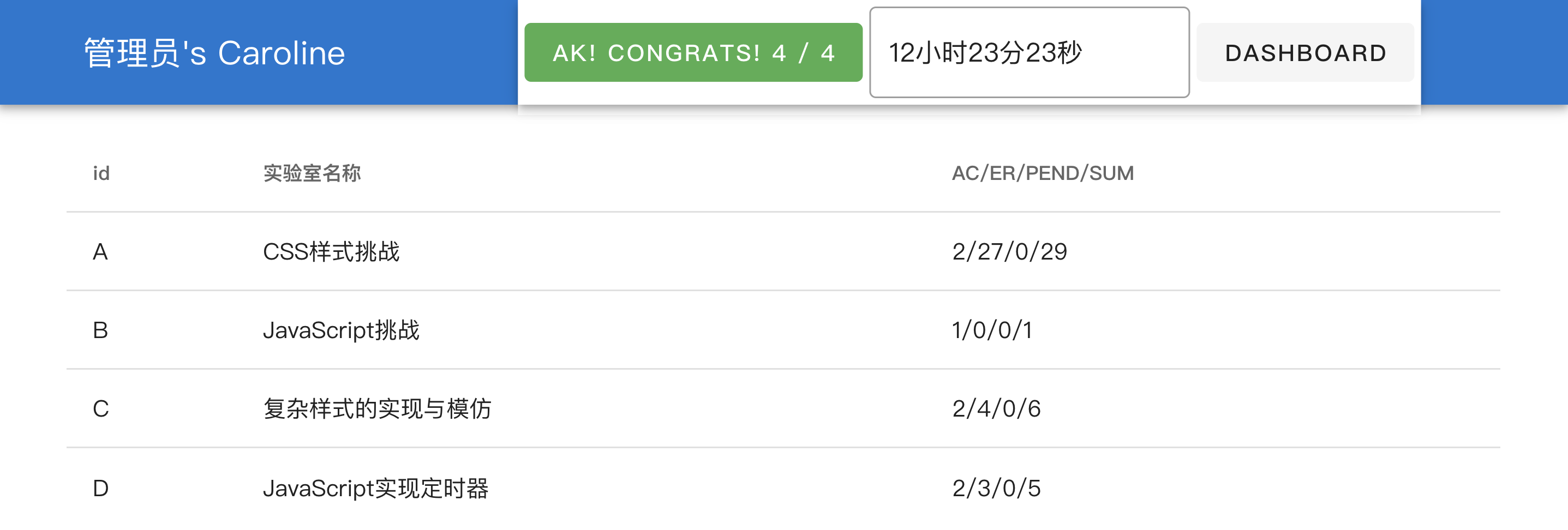
Contest Leaderboard
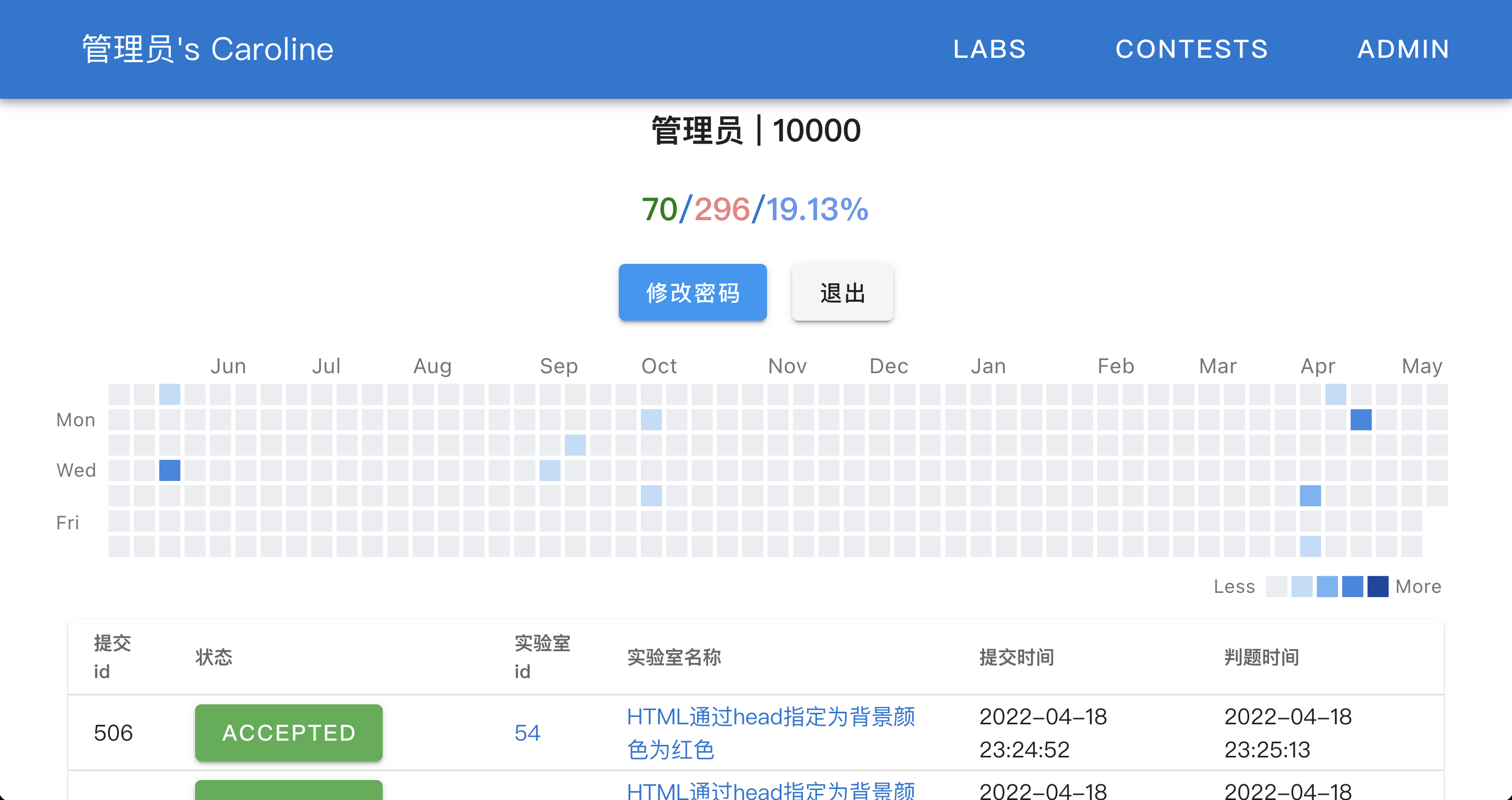
Profile Dashboard
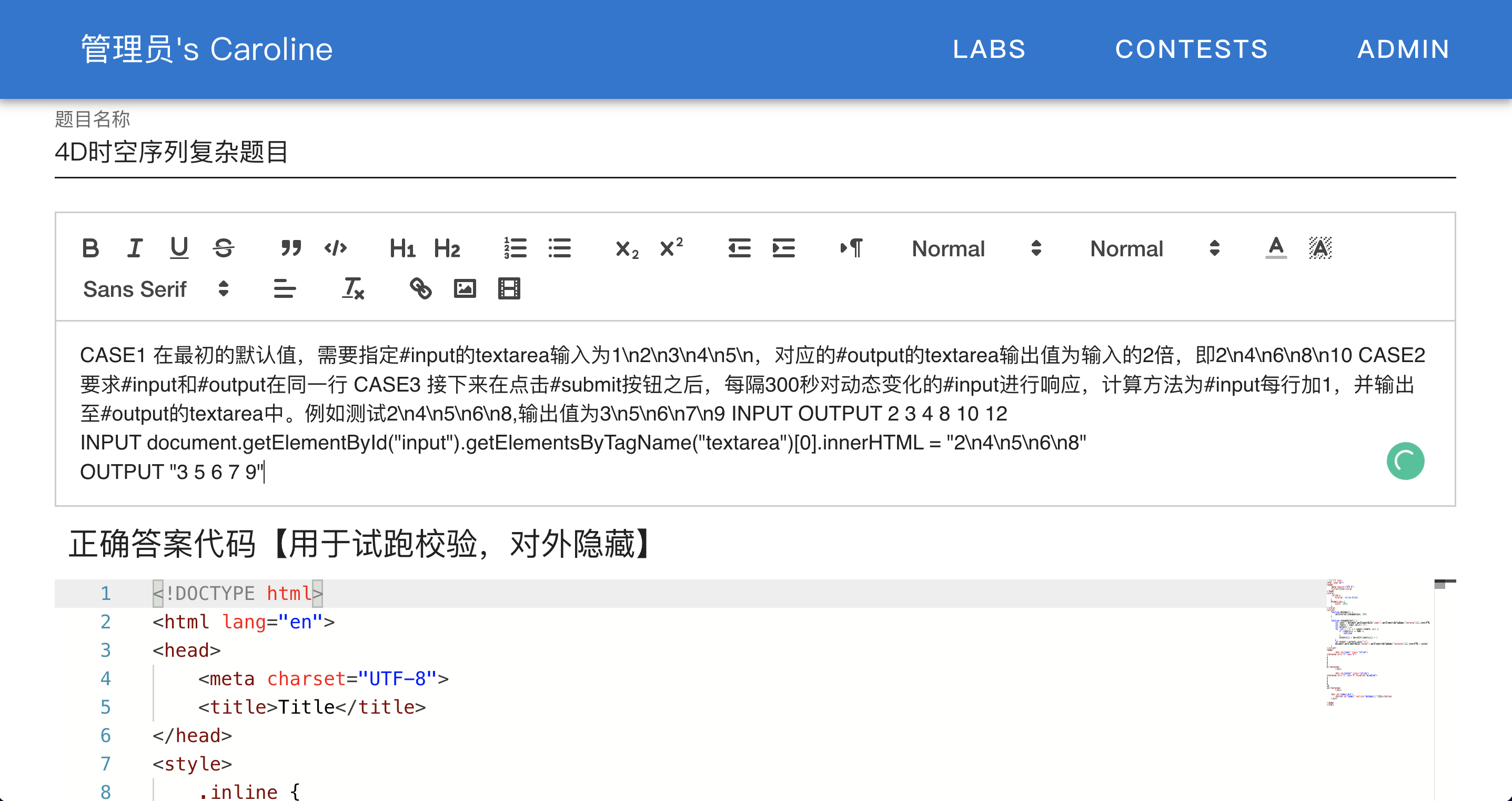
Problem Configuration Interface
Code Flow
Use Case Diagram
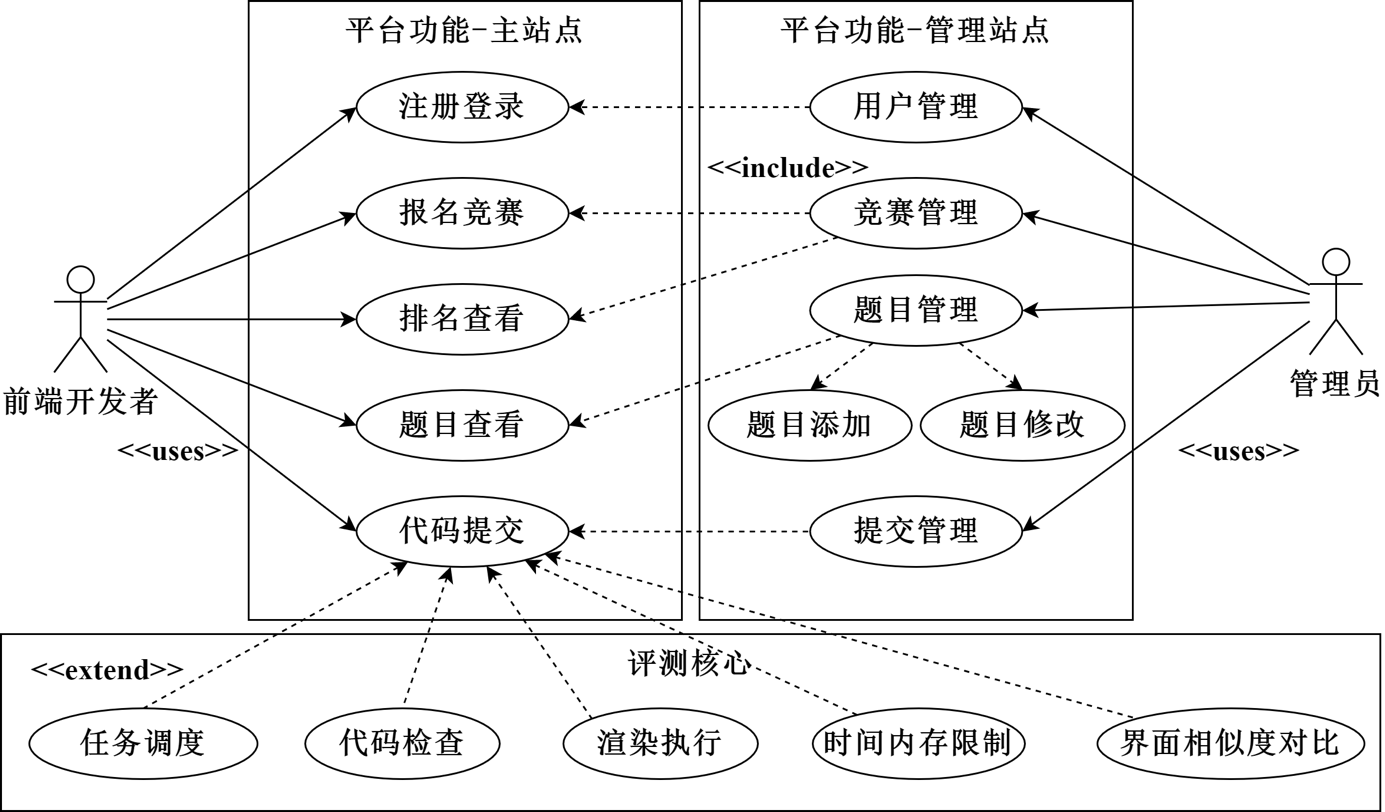
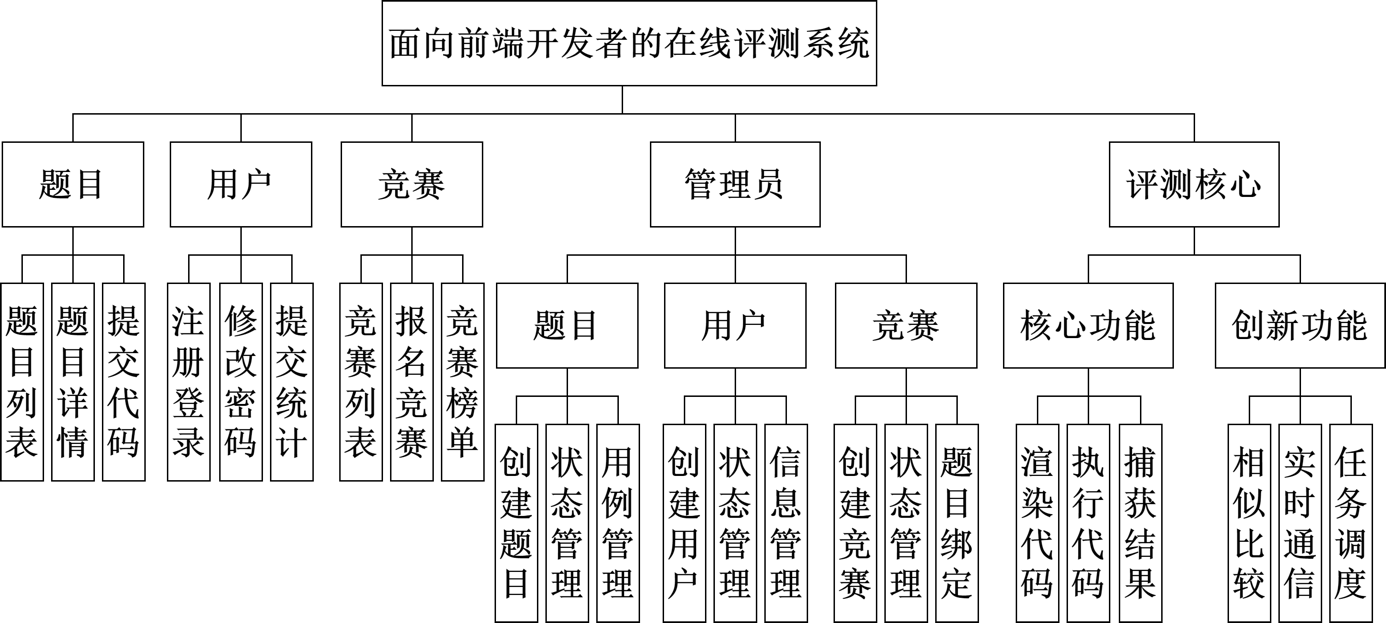
System Functional Structure Diagram
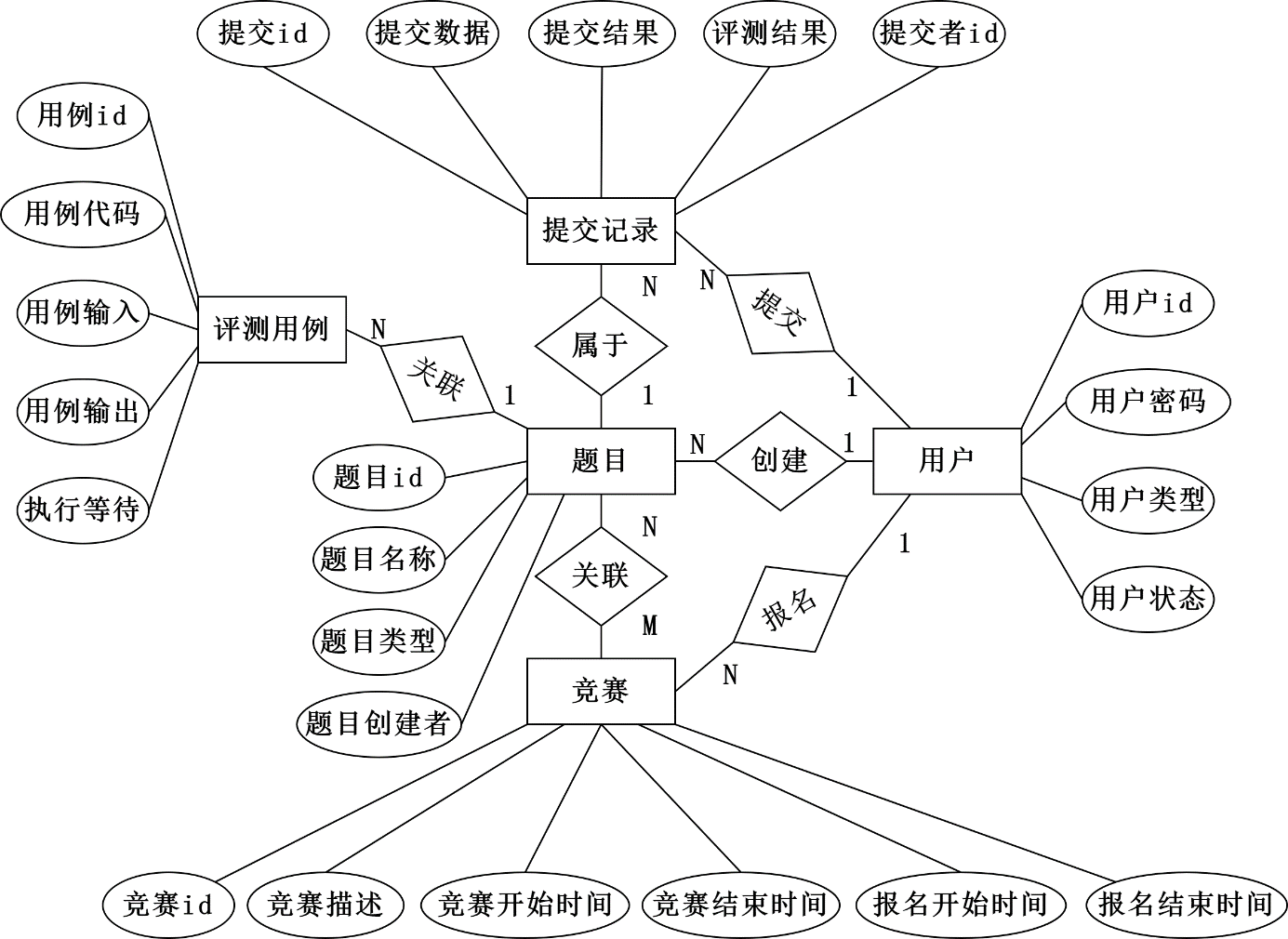
E-R Diagram
Activity Diagram
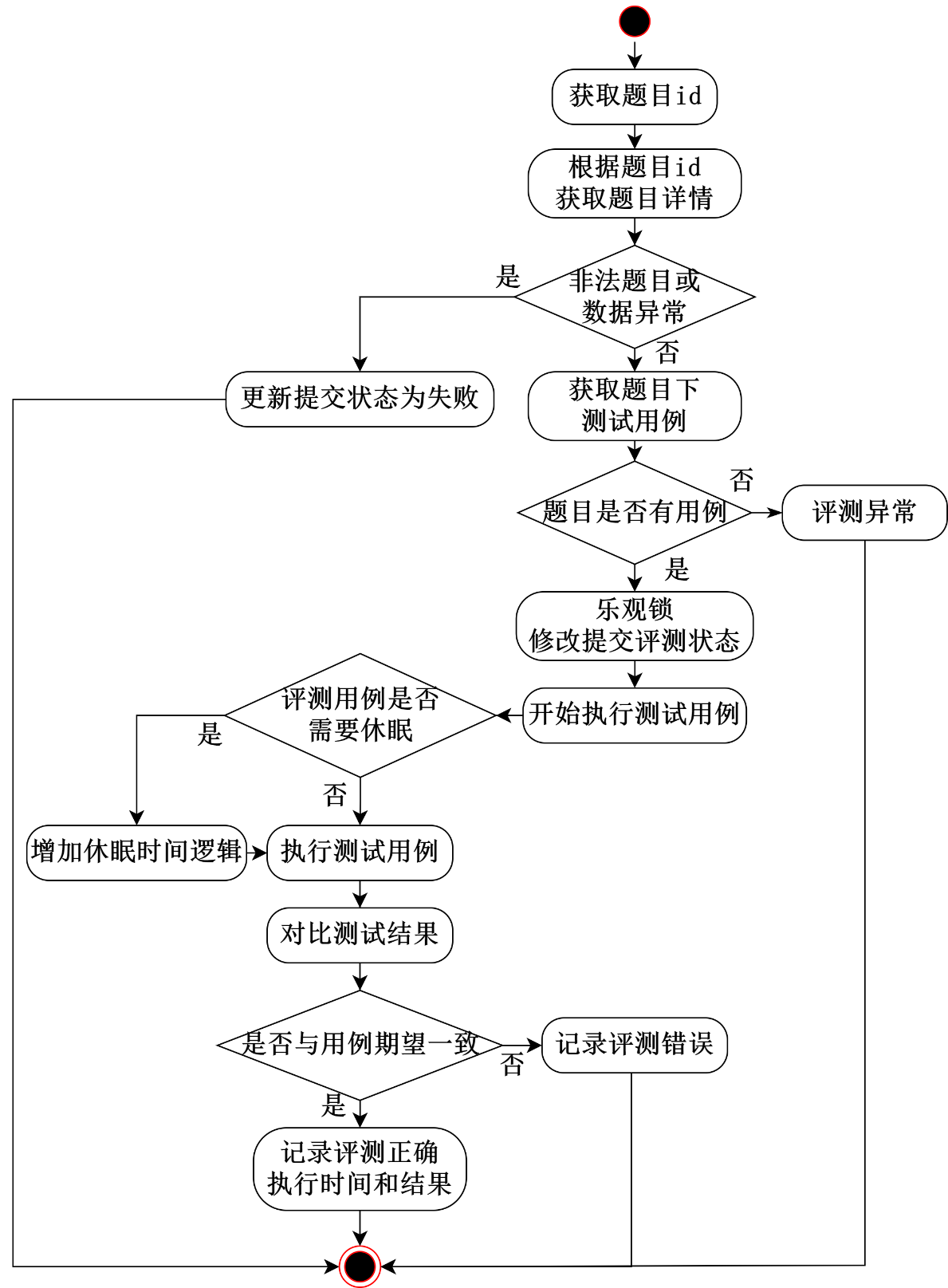
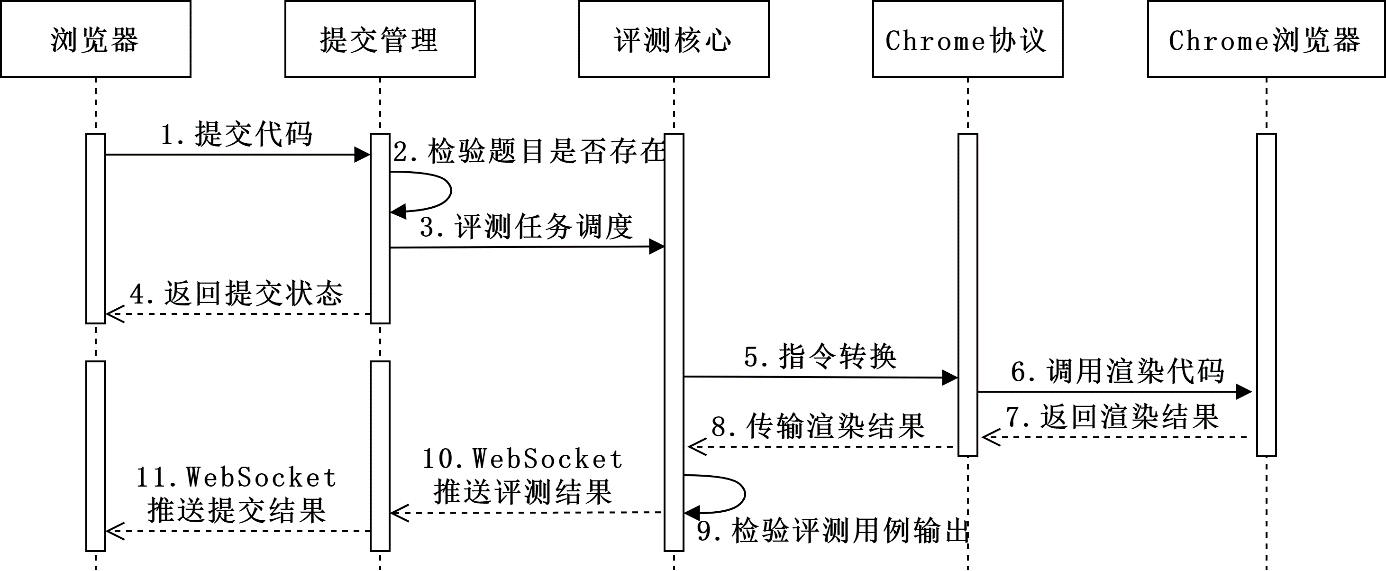
Evaluation Flowchart
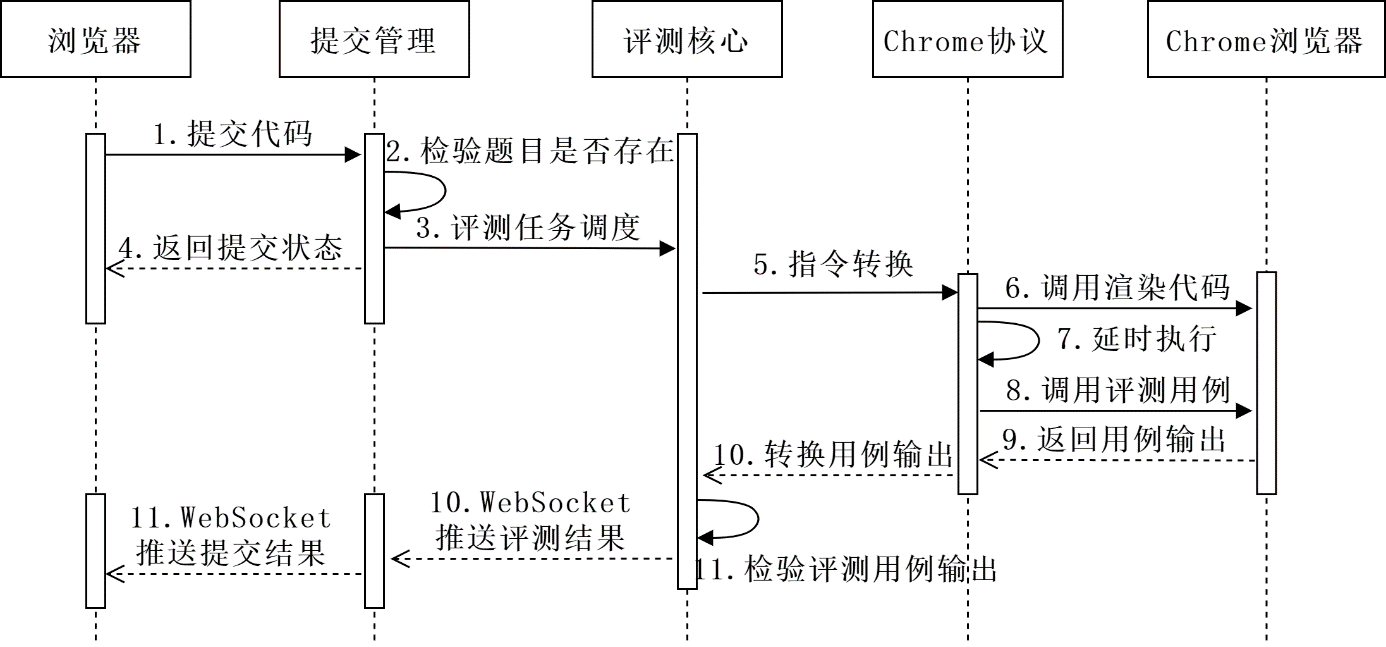
Delayed Evaluation Flowchart
When animations or dynamic effects need to be evaluated and require waiting a certain amount of time before execution, the system supports delaying the evaluation for a specified period.
UI Similarity Comparison Flowchart
Notes
About Practical Results
This system was designed while the author was pursuing a master’s degree. As it was created quite some time ago, performance and functionality are not guaranteed; it is provided for code reference.
About the Name
At the time, the author got obsessed while replaying Portal 2, so the name Caroline was chosen as the project codename, and tests were referred to using “lab”. For more details, please see the code and database schema export files.