Background
Recently, the server was unable to access HuggingFace, and since I wanted to take advantage of free perks, I deployed command-line SSR on the server.
However, even though everything was configured, curl and git clone with HTTPS URLs still wouldn’t work. It felt like the destination was right in front of me, but an invisible wall was blocking the way.
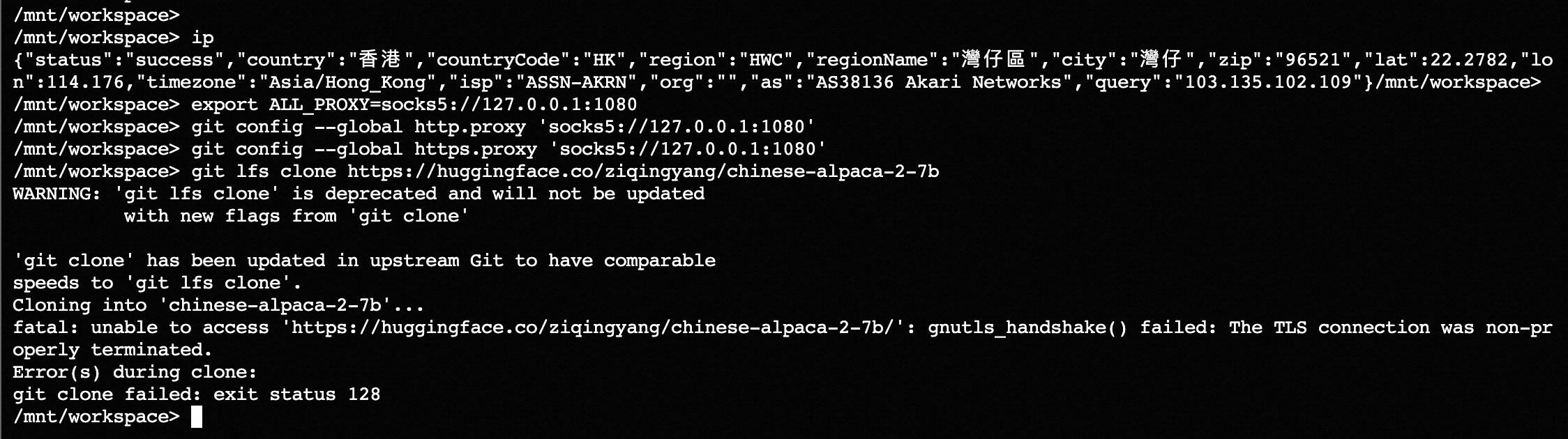
Therefore, I suspected that the active bash session might be interfered with by something, preventing HTTPS from going through SSR. So I decided to use proxychains directly.
Installation and Usage
Deploy command-line SSR, update subscriptions, and open port 1080 (skipped).
Install proxychains
1 | sudo apt-get install proxychains |
Add SOCKS5 proxy
1 | sudo vim /etc/proxychains.conf |
Simply run bash scripts or commands right after proxychains~
Modify DNS
Since proxy_dns was enabled in the config, which defaults to Microsoft’s 4.2.2.2, I changed it to Google’s 8.8.8.8.
Search for the config location
1 | sudo find / -name proxyresolv |
Change it to 8.8.8.8.
1 | DNS_SERVER=${PROXYRESOLV_DNS:-8.8.8.8} |
Download Large Models
Since I really couldn’t get the git clone command to work, I directly used wget to download the large models (one file is 10G, the other is 3.44G).
Later, I’ll manually put them together with the tokenizer.
1 | proxychains wget https://huggingface.co/ziqingyang/chinese-alpaca-2-7b/resolve/main/pytorch_model-00001-of-00002.bin |

Now I can happily continue my journey of LLM training (and free-resource hunting)~
Afterword
Tinkering all night just to score free perks—I honestly don’t know if it was driven by the power of free stuff or the thrill of puzzle-solving.
It brought back youth memories from ten years ago when I stayed up all night wrestling with NVIDIA GPU drivers (definitely cannot stay up late anymore)!
(This article is only a troubleshooting and efficiency record and provides no substantial help like keys; doge saves life)